Gear, looks and dyeing
Gear slots, what gear does on DWO Reborn, how to change your outfit, the Tailor, dyeing at the Loom, and auras.
- Gear on DWO Reborn is mostly about looks; only capes add a small bonus.
- Change outfits in Equipment, Gear, then press Confirm.
- Buy dyes from the Tailor and dye pieces at a Loom.
Tap an underlined word to see what it means.
Gear is what your character wears: head, body, arms, legs and a cape on the back. In the original game gear carried big stats; on DWO Reborn it is mostly about looks, which makes dressing up free of pressure.
Slots and stats
| Slot | On DWO Reborn |
|---|---|
| Head, body, arms, legs | Looks only: no stats. |
| Back (cape) | A small bonus to Attack, Damage, Defense, Life and Musou, and a little Speed and Jump. |
Gear stats are deliberately flat on DWO Reborn, so a new player is not out-geared. Your weapon and your flask upgrades decide fights.
Gear is made for one gender: pieces for the other gender are greyed out in your wardrobe.
Changing your outfit
- Open the main menu and choose Equipment, then Gear (your house wardrobe opens the same window).
- Pick a slot tab and click a piece: your character shows a preview.
- Press Confirm to wear everything you picked. Closing the window without confirming offers to put your old gear back.
- Gear sets let you save a whole outfit and switch to it in one step at the Dresser.
- Protection in the wardrobe locks a piece so it cannot be sold by accident. Pieces you wear, or that are in a saved set, cannot be sold or listed either.
Your starting wardrobe
New characters receive several complete outfits for their gender and five capes, and the tutorial adds the Dark Hero outfit. Your wardrobe holds 20 pieces per slot to begin with; bigger wardrobes are sold by the Antique Dealer.
The Tailor
| Option | What it offers |
|---|---|
| Purchase | Dyes: Powdered Dye 200 gold, Liquid Dye 400, Concentrated Dye 1,200. |
| Gear | Basic gear for your gender at 200 gold a piece. The stock changes every week, with extra pieces on Fridays. In the window that opens, press Search to see it. |
| Repair | Restores the element durability of gear that has an element. |
Dyeing at the Loom
- Buy a dye from the Tailor.
- Take the piece off first; worn pieces cannot be dyed.
- At the Shared Loom in the Market (or a loom in your house) choose Dyeing, pick the piece and the dye.
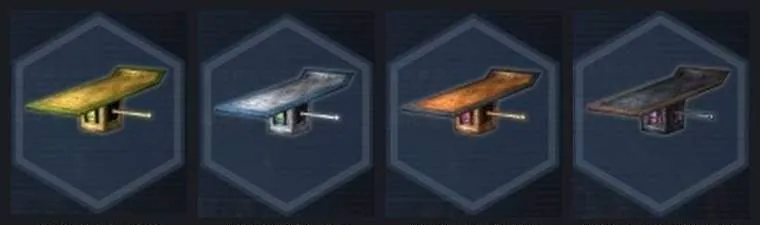
- Confirm. Each dye gives the piece a different colour scheme, and the colour shows on your character everywhere.
- Dyeing can fail. At a loom in your own house a failure keeps the dye and costs no gold.
- Capes and tailored gear cannot be dyed.
- The Loom also offers Element Imbue for gear (with a ward) and Tailoring.
Your looks: the Beautician
To change your face, hair, colours, body type or voice, visit the Beautician in the Market. Looks offered at character creation are free; extra looks cost 4 Miso Koins each, once. Touch-up (1,000 gold) puts back your previous look.
Auras
Auras (the game's divine implements) are glowing effects around your character, purely for show. New characters have none; they sometimes drop from Quick matches and from winning Standoff and Deadlock battles. Equip one from the main menu or in Battle Preparations.