Outfit_Cloak PS (Design) Guide
If you possess certain PS skills and creativity, and disdain the simple file replacement method above, you can use the method below to create clothing and cloaks with extreme personal style!
Musou OL Texture PS Method(not referring to file swapping)
Preparation tools
Photoshop + dds plugin (The plugin is in the attachment of this article)
UltraEdit (can also be WinHex)
Objects in the game are composed of two texture files and one model file
Since regular characters consist of
0 clothing 1 head 2 cloak 3 face 4 face 5 hair 6 shoes 7 hands composition
Many files and folders are involved (actually each item consists of 3 files for example cape ig000 and ow000 contain two textures, with the corresponding model file in M00X)
While Officers are only composed of 3 files So here we use modifying Officers as an example
Find LoadData\0006\od\on\ge200 which contains Officer textures and model files
200-247 represent different Officers For example Lu Bu is 212
M212_00.bin L212_00.bin are texture files
M212.bin is the model file
What we need to modify are these two texture files modifying textures allows us to change the officer's clothing and skin
And the model can be simply understood as the skeleton (modifying models requires further research)
Getting to the main topic We'll use Lu Bu as an example for modification
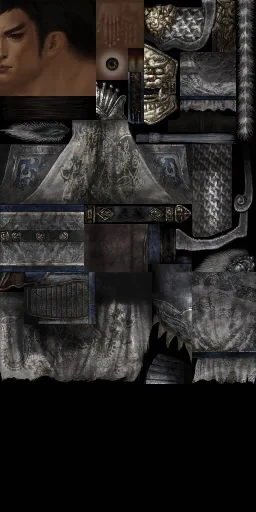
What images are in M212_00 L212_00
Use image export tool to export images from the client
Actually M212_00 L212_00 are two related textures the only difference is
Images in M212 are 512*1024 L212 are 256*512 in size
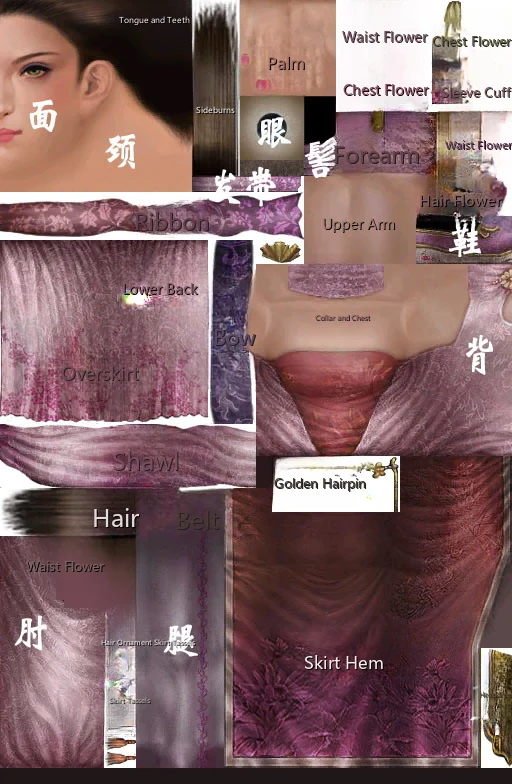
Through Diao Chan's texture to understand the texture structure
Actually model files determine the position of each body part on the texture. Since we can't modify model files yet
So you can only achieve texture modification through modifying individual parts. As for how to modify it, it depends on everyone's PS skills and imagination
Now starting the operation
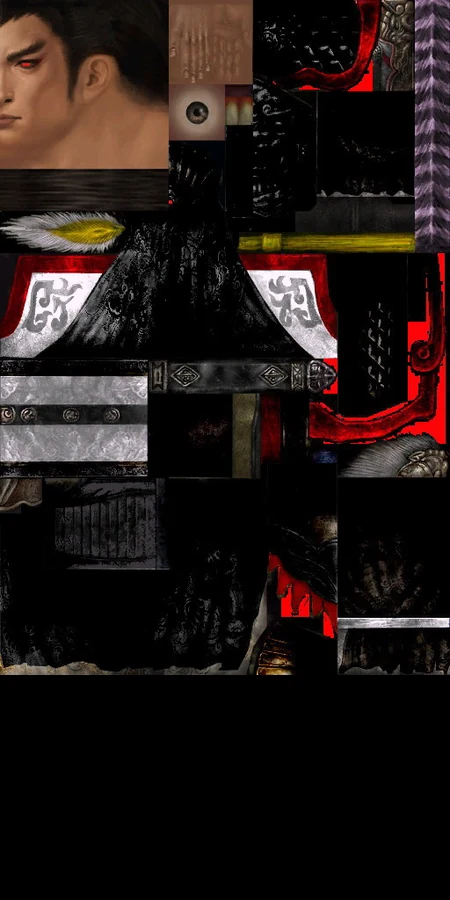
First I found a modified Lu Bu texture 512*1024 from ali213.net
Of course if you have good PS skills you can modify the image yourself
(OL and 354 officer models are the same so there are many current textures available in ali213's Musou section)
Open with Photoshop, save as DDS format 1.dds
Resize to 256*512 then save another copy 2.dds
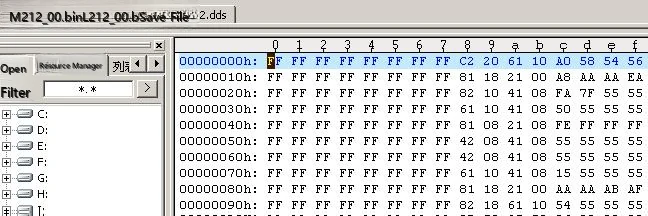
Next use UE to open 1.DDS 2.DDS M212_00.BIN L212_00.BIN
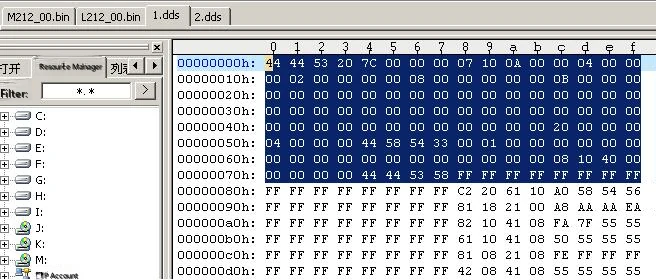
Delete lines 1-8 from DDS
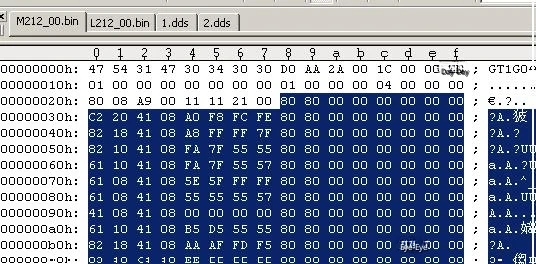
Select the first 8 lines
Save
Apply the same processing to 2.dds
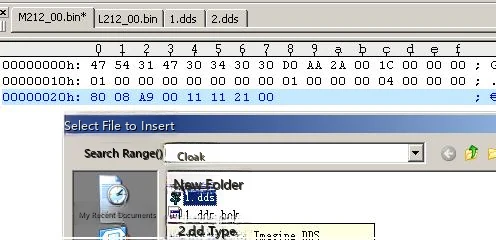
M212_00.BIN Find line 3: 11 11 21 00
Delete the part from 00 onwards to the end of the file
Then insert the modified 1.dds at the end of the file
Save M212_00.BIN
L212_00.BIN Apply the same cropping then insert the modified 2.dds
After both files are modified copy to the original directory and it's ok
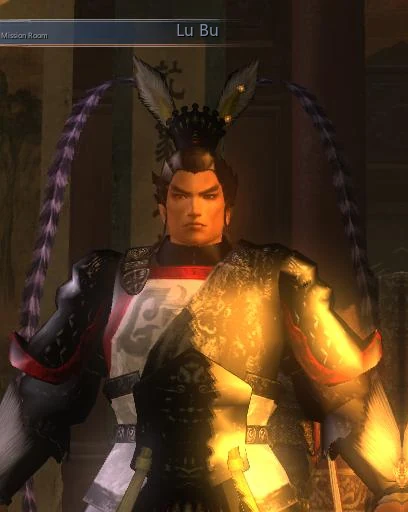
Below are the effect screenshots
PS Musou Textures~Foolproof Method
Photoshop + dds plugin
UltraEdit, WinHex and other hexadecimal viewers
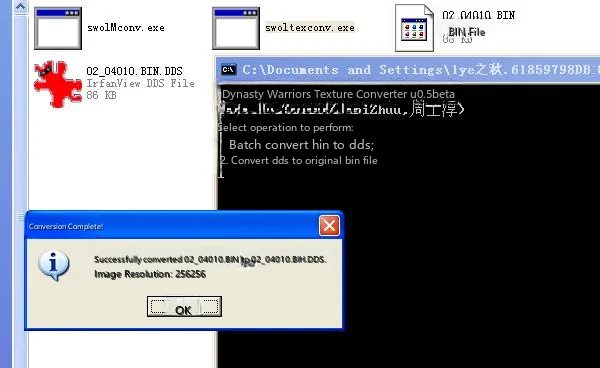
OL conversion tool: swoltexconv.exe
-----------------------------------------
Copy from the Musou folder, what you wantPSfiles Place into the folder where swoltexconv.exe is located
Convert to DDS file format
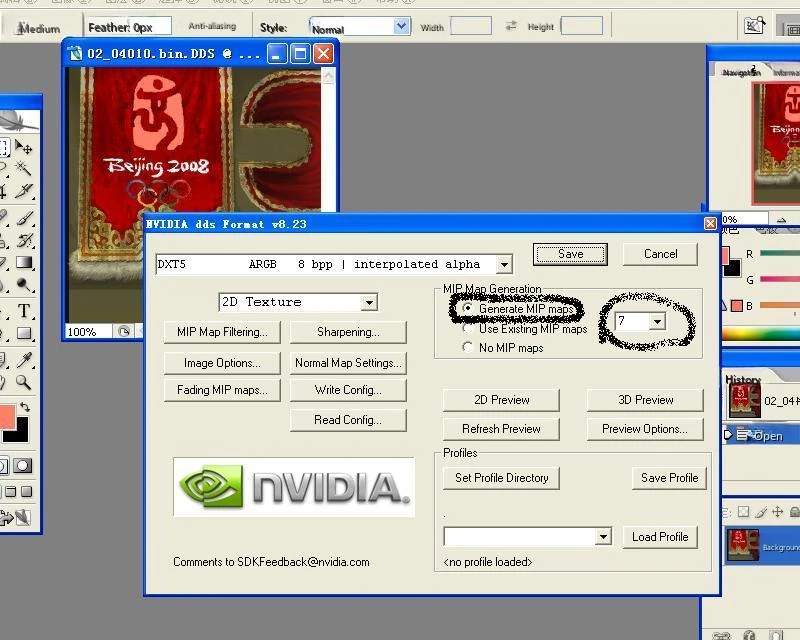
You can use Photoshop to work on DDSPS
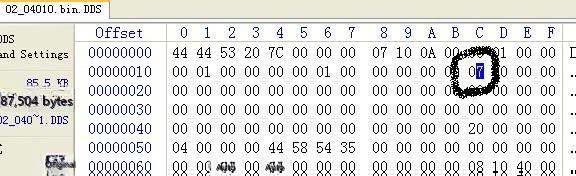
PSAfter completion, before saving DDS, use a hex editor to check the value at this position in the DDS file
When exporting DDS, use the following configuration, where MIP map count "7" should match the value seen in the previous step.
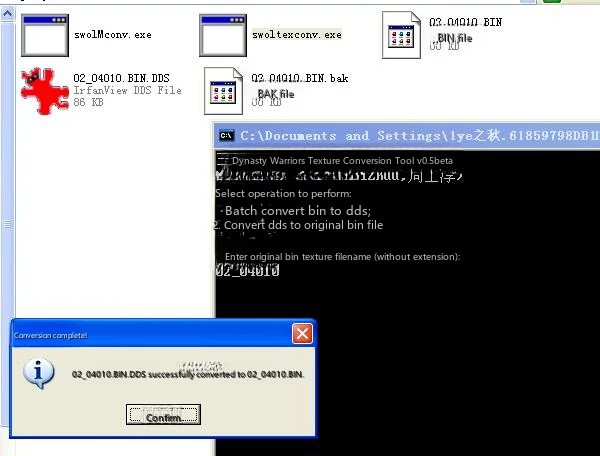
Then use swoltexconv.exe to convertPSConvert good DDS files into bin
When converting DDS to bin, the tool will automatically backup the original bin as a bak file~as shown in the 02_04010.BIN.bak file in the image
Then you can proceed with replacement~The replacement method won't be elaborated~many posts have covered this
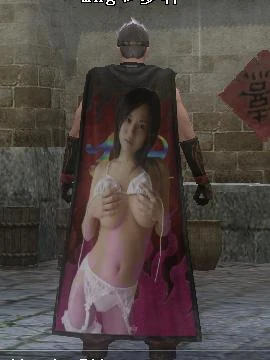
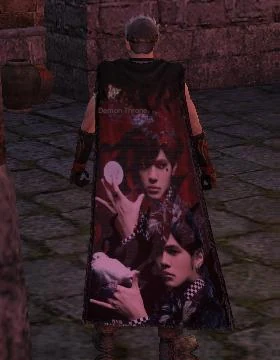
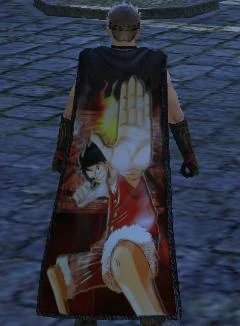
Result:
How perverted do you want it? You decide! Extremely personalized cloaks will be born from your hands~~
Note: The original author of this article isDuowan Gaming NetworkMemberbluepizza and 1ye of autumn
 Guide_files/o1314u300sz9.jpg)