Guilds
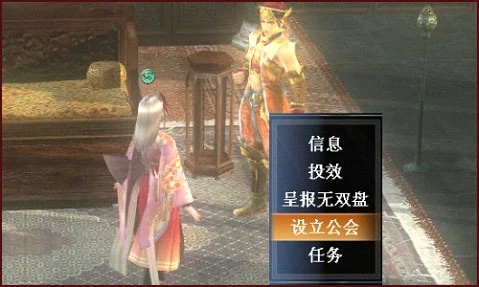
To create a guild you first need 4 players who are at least the rank of Lt. Colonel. Once you do, form a party with them and go to the general you serve under. Choose "Create a Guild" and choose a name for your guild and viola. You have create a guild.
The leader of the party is made into the leader of the guild by default.
You can now use guild chat and use the guild quarters located in the tavern. The default key for guild chat is "G".

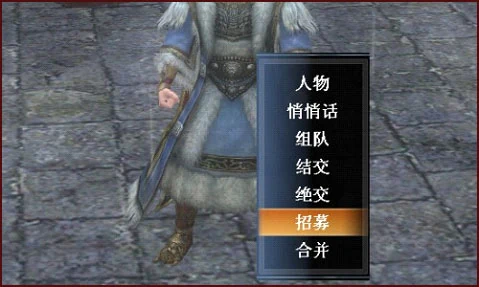
You can recruit members by inviting them the same way you would invite someone to a party. Click on their name when you see them in town and hit "Invite to Guild". You must be the guild leader or an office to invite new members. Also you may receive mail regarding interested prospects. You must always recruit as mentioned before, therefore take note on the player's namee in your mail and contact them to setup a meeting for their recruitment.

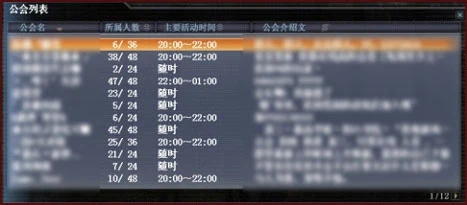
New players entering the game can execute the guild joining option at the Messenger, which displays the current guild list. After clicking, you can view detailed guild information and apply by executing guild application. You can join the guild after approval from the target guild's leader or officers.

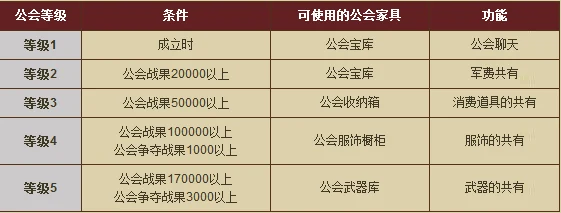
When Guild Results and Campaign Points reach certain values, the guild leader can upgrade the guild at the affiliated Officer.
The required conditions, corresponding guild furniture and functions for each guild level.
Guild Upgrade: Leader talks to the affiliated Officer.
Guild Gems are used to exchange equipment shared with companions.
Guild members can purchase Guild Gems at the Messenger using Musou Coins.
Guild members can store Guild Gems in the Guild Treasury in the guild room.
Only the guild leader can withdraw Guild Gems from storage.
The guild leader can purchase guild furniture using Guild Gems at the Messenger.
When the guild reaches a specific level, it can be expanded at the Messenger by using Guild Gems.
| Level | Guild Results Required | Campaign Points Required | Max Members Allowed | Other Benefits Added | |
|---|---|---|---|---|---|
| 1 | 0 | 0 | 24 | Guild Chat / Guild Treasury | |
| 2 | 20000 | 0 | 36 | Guild Gold Vault | |
| 3 | 50000 | 0 | 48 | Guild Storage Box | |
| 4 | 100000 | 1000 | 48 | Guild Wardrobe | |
| 5 | 170000 | 3000 | 48 | Guild Armory |
The following is subject to change when the server goes live.
Guilds can form alliances
> The leader of Guild A can propose an alliance to the leader of Guild B, allowing Guild A to merge into Guild B.
> If Guild B accepts Guild A's merger, Guild B's maximum member capacity must be greater than or equal to the combined number of Guild A + Guild B members.
> After the alliance, Guild A is disbanded, and Guild Results and Campaign Points are merged into Guild B.
> If the guild expansion stage is greater than the merging target guild, it will be inherited.
> Only furniture that can be configured in the merging target guild will be inherited

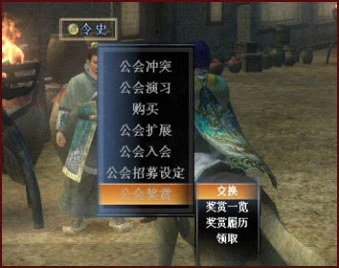
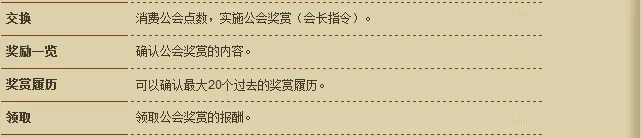
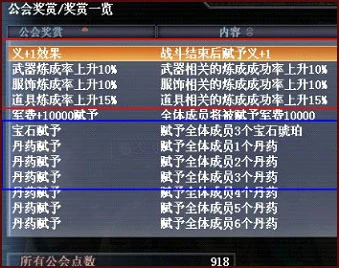
Commands at the Messenger after clicking Guild Rewards:
Reward history and reward claiming can also be viewed in "Information → Guild"
Rewards are divided into "Phase Type" and "Instant Type":
Phase Type: After the leader exchanges this reward, they can set a start time (reservation time not exceeding one week). It automatically starts when the set time is reached (reward duration is officially determined). During the time period from exchanging this type of reward until its end, players can check through "Information"—"Guild"—"Guild Information"/"Guild Rewards" (reserved guild rewards): after completion, it can be viewed in history.
Instant Type: After the leader exchanges this reward, the leader/members can directly claim it. The leader can repeatedly use Guild Points to exchange.
During the period from the start to end of Phase Type rewards, other types of rewards cannot be exchanged. Leaders should be careful not to set reward time periods during weekly maintenance times, as official compensation will not be provided in such cases.
Game rewards and in-game activity effects do not stack. If in-game activity effects are greater than guild reward effects, activity effects take priority.
Guild Results Acquisition:
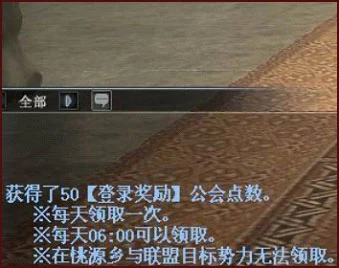
Players can obtain Guild Results through daily login and continuous battles. Guild Results are collectively displayed in guild information and represent the total points obtained by all guild members.
> Members who log into the game after 6:00 AM or switch to home can receive 50 Guild Results at once (can only be obtained once per day, switching to Peach Blossom Spring or allied faction homes will not grant this).
> When participating in Conflicts, Guild Conflicts, and Contests, different Guild Results are obtained based on different numbers of participants, victory/defeat, battle levels, and player/NPC.